Build a quote while you’re on the phone
- Add services from your price list in a tap
- Extras, travel, discount, tax and deposit worked out
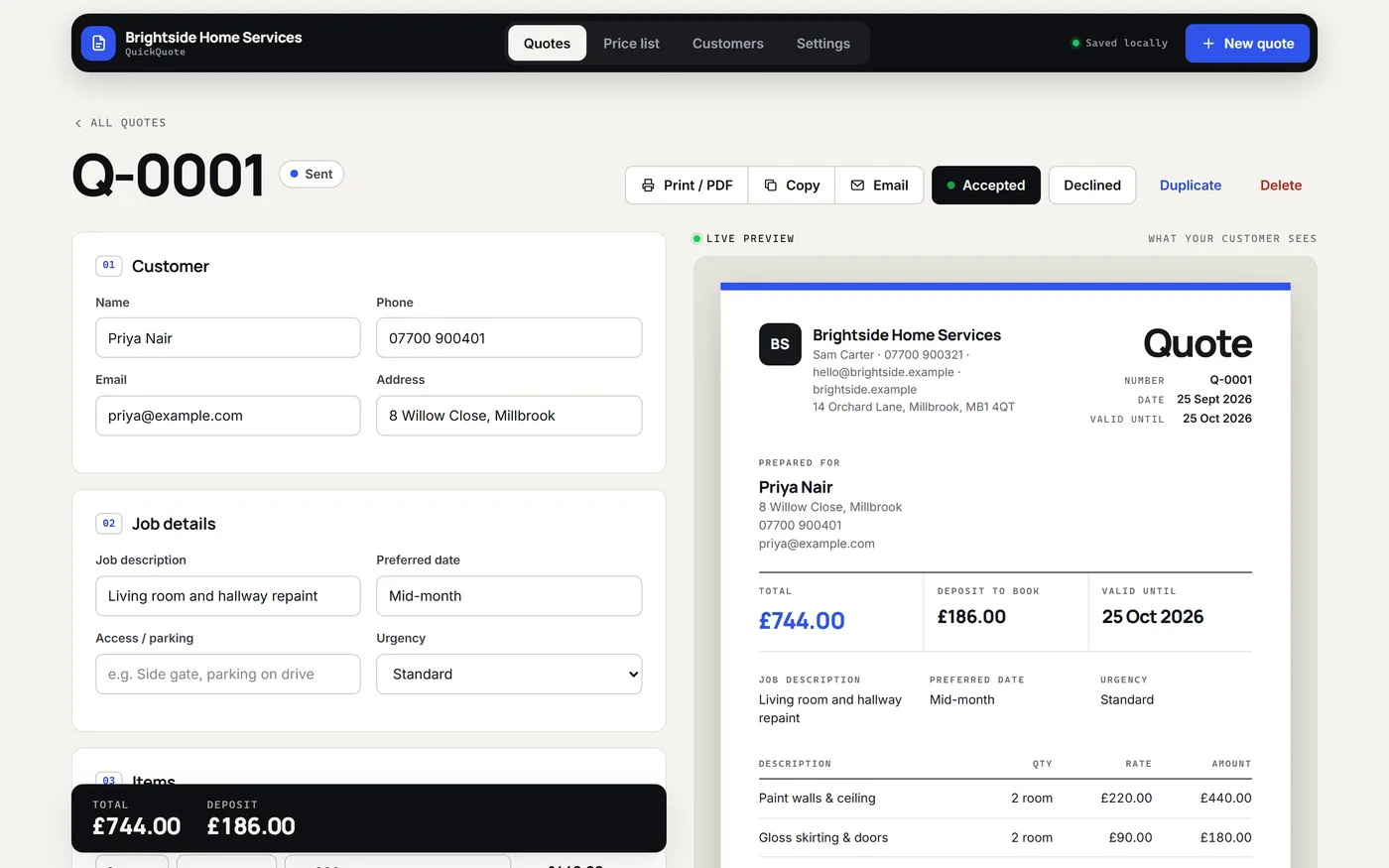
- Live preview of exactly what your customer sees
For independent service businesses
Build clear, professional quotes from your own price list and keep track of follow-ups.
£5.99 £11.99 Sale price · GBP
One-time digital purchase · No subscription · No software login
Price checked 6 October 2026. See Etsy for the latest price and exact edition included.
Built around your day
Take a closer look
Open a screenshot for a closer look, or try the demo to explore the features yourself.


Your download
Getting started
Designed for a browser on computer, phone or tablet. Data stays in the browser where you use it; moving between devices requires exporting and importing a backup. Try your intended device with the demo before purchasing.
No. The demo uses example data and resets when you refresh. Your purchased edition includes its own saving and backup features.
Follow the included setup guide and use your dashboard’s backup and restore controls. Keep exported backups somewhere safe, especially before clearing browser data or changing devices.
Visit TapStack Studio on Etsy for the current listing, price, included files and a way to contact the studio.
Explore the working demo, then choose your edition in the Etsy shop.